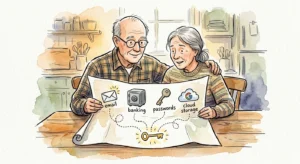
Securing your legacy means ensuring your family can access your financial and digital life when an emergency strikes without getting locked out. Today, critical records live behind encrypted logins, leaving unprepared families stranded during stressful health crises or sudden losses. By organizing ten essential accounts now—ranging from bank portals to password vaults—you protect your assets, prevent frozen bank balances, and eliminate agonizing administrative delays for your loved ones. Leaving your digital door locked creates unnecessary hardship, but taking a few deliberate steps today provides your family with instant clarity and financial security when they need it most.
The Growing Crisis of Unclaimed Assets and Locked Digital Estates
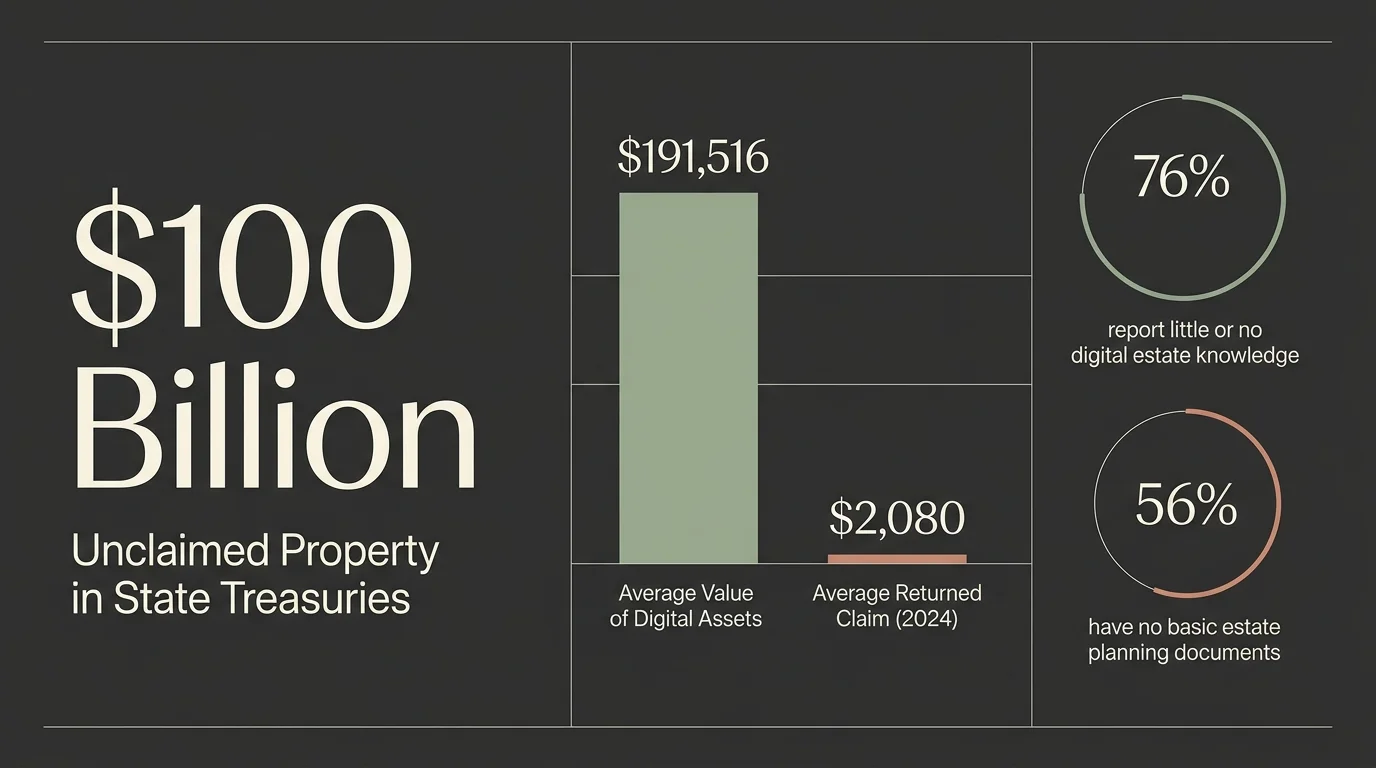
The modern retirement landscape has shifted dramatically from paper lockboxes in home closets to encrypted cloud servers across the internet. While digital banking offers convenience, it creates serious vulnerabilities when emergency access is required. According to a study by Bryn Mawr Trust, Americans estimate the average value of their digital assets at $191,516. Yet, 76% of respondents report having little or no knowledge of digital estate planning, and more than 55% have no actionable plan for family members to access their online accounts.
This knowledge gap leads to severe administrative chaos and lost family wealth. Data from the National Association of Unclaimed Property Administrators reveals that state treasuries currently hold over $100 billion in unclaimed property, ranging from forgotten bank balances to dormant dividend checks. Roughly 1 in 7 Americans has unclaimed cash waiting for them, and while state treasuries successfully returned $4.49 billion to rightful owners in 2024—with an average claim of $2,080—countless assets remain permanently lost simply because heirs never knew the accounts existed.
Compounding this issue is a widespread lack of basic legal preparation. The 2026 Trust & Will Estate Planning Report highlights that 56% of American adults have no basic estate planning documents in place, such as a last will and testament or financial power of attorney. To address these modern challenges, 47 U.S. states, the District of Columbia, and the U.S. Virgin Islands have enacted the Revised Uniform Fiduciary Access to Digital Assets Act (RUFADAA). This state legislation provides a legal path for executors and agents under a financial power of attorney to manage your digital life. However, legal authority under RUFADAA does not magically grant login credentials; without your direct instruction and shared credentials, your family faces steep legal battles and frustrating corporate red tape.
10 Accounts and Passwords Your Family Must Be Able to Access
To guard your family against frozen assets and administrative nightmares, you must organize ten critical categories of accounts. Sharing access does not mean giving up your privacy today; rather, it creates a secure map that your trusted representatives can unlock when an emergency occurs.
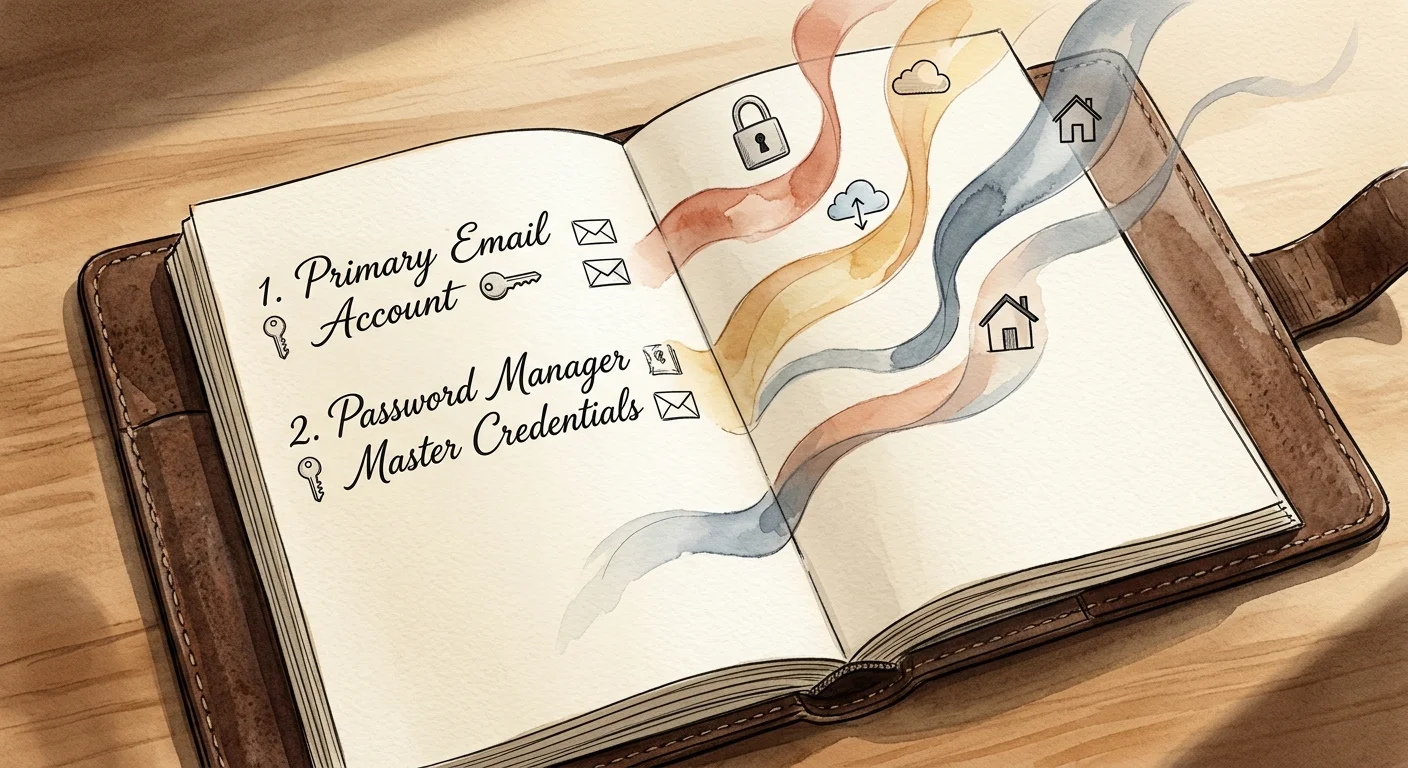
1. Primary Email Account
Your primary email inbox serves as the master key to your entire digital ecosystem. Password resets, identity verifications, two-factor authentication links, and billing notifications route directly through this single portal. If your loved ones cannot access your primary email account, they will struggle to confirm account ownership or recover credentials for bank accounts, insurance policies, and utility services. You must document your main email address, password, and recovery details in a secure location.
2. Password Manager Master Credentials
Managing dozens of unique logins in your head or on scattered sticky notes compromises your cyber security. A reputable digital password manager consolidates every complex password behind one master key. By sharing your password manager master password and setting up its emergency access feature, you grant your designated legacy contact immediate, full entry to all your stored credentials with a single key.
3. Primary Checking and Savings Accounts
When an unexpected illness or death occurs, your family needs immediate access to cash flow for urgent medical bills, funeral expenses, and ongoing household expenses. Financial institutions instantly freeze individual accounts upon notification of a death unless a joint owner or Payable on Death (POD) beneficiary exists. Providing your family with account numbers, branch locations, and online banking details ensures smooth financial transitions during emotional moments.
4. Investment, Brokerage, and Retirement Portfolios
Your 401(k) accounts, Traditional and Roth IRAs, mutual funds, and individual brokerage accounts represent your life work. Inaccessible investment accounts often sit unnoticed for years, eventually escheating to state treasuries as abandoned property. Ensure your family knows which financial firms manage your retirement wealth, your account numbers, online login information, and named beneficiary designations.
5. Social Security and Government Portals
Navigating federal retirement benefits requires seamless interaction with the Social Security Administration. Your family needs your login credentials and Social Security number to verify monthly benefit payments, report life changes, manage direct deposit details, or apply for survivor benefits. Keeping these credentials accessible eliminates delays in processing critical monthly income for a surviving spouse.
6. Medicare and Health Insurance Accounts
During medical emergencies, family caregivers need quick visibility into your healthcare coverage. Having online access to your profile on Medicare or private health insurance portals allows your representatives to view active coverage, verify deductibles, track pending claims, and advocate effectively for your medical care without spending hours on support phone lines.
7. Mortgage, Utilities, and Household Operations
Every household relies on monthly payments to maintain essential services, including electricity, natural gas, water, internet, property taxes, and homeowners insurance. If automated bank withdrawals fail because an account gets frozen, critical utilities risk disconnection. Outlining your monthly bill schedules, auto-pay configurations, and account logins guarantees your home remains safe and operational.
8. Physical Device PINs and Encryption Passcodes
Smartphones, tablets, and personal computers contain personal documents, financial apps, and two-factor authentication codes. Modern mobile operating systems feature high-grade encryption that permanently wipes or locks devices after multiple failed passcode entries. Leaving written device PINs, screen passcodes, and hardware encryption recovery keys ensures your family can access the physical hardware housing your digital life.
9. Cloud Storage and Digital Memory Vaults
Your digital estate contains emotional treasure alongside financial assets. Family photo albums, personal journals, and historical documents frequently live in cloud storage services like Apple iCloud, Google Drive, or Dropbox. Technology companies enforce strict privacy policies that prohibit family access after death unless you configure explicit legacy contacts or leave verified login information.
10. Social Media and Monthly Subscription Services
Unmanaged social media accounts can attract identity thieves and cause distress to grieving family members. Furthermore, active streaming services, news subscriptions, and software memberships continue to bill credit cards automatically. Giving your family access to platforms like Facebook, LinkedIn, and entertainment services allows them to memorialize your digital profile and terminate unnecessary recurring credit card charges.

Strategic Pillars: Safeguarding Income, Lifestyle, and Healthcare Access
Organizing your digital assets requires a balanced strategy across three main pillars of retirement planning.
First, income planning requires systematic inventory tracking. Cross-referencing your tax returns with your active financial accounts prevents asset abandonment and ensures your designated beneficiaries receive their intended inheritance promptly. Reviewing your tax documents with the Internal Revenue Service helps identify all 1099-INT and 1099-DIV forms, ensuring no hidden bank or brokerage accounts get left behind.
Second, lifestyle continuity focuses on household management. Maintaining a centralized home operating sheet enables your spouse or adult children to step into administrative duties without missing mortgage payments, property tax deadlines, or insurance premiums.
Third, health and wellness access empowers family caregivers. Granting medical powers of attorney and sharing digital health portal credentials gives your chosen advocate the precise tools required to review electronic medical records, coordinate doctor visits, and verify prescription drug coverage during critical care transitions.

Expert Perspectives and Security Safeguards
Certified Financial Planner professionals and gerontologists emphasize that sharing accounts requires strong safeguards to prevent cyber fraud and family conflict. While transparency is vital, exposing sensitive passwords on unencrypted digital documents invites significant security risks.
Experts recommend establishing a clear separation between daily access and emergency access. Rather than texting passwords or writing them on loose sheets of paper, utilize the built-in legacy contact features offered by major tech companies. Furthermore, pair digital password vaults with physical protection, such as a fireproof home safe containing master keys and written legal directions.
Navigating two-factor authentication (2FA) presents another hurdle for family access. Because 2FA relies on sending physical text messages or app notifications to your individual smartphone, your executor must know your device passcode to complete logins for financial portals. For additional guidance on protecting your estate from elder fraud and digital scams, resources provided by AARP offer practical protection advice for older adults and their family caregivers.
Frequently Asked Questions
What happens to my digital accounts if I do not leave passwords for my family?
If you pass away or become incapacitated without sharing access credentials, technology companies and financial institutions strictly enforce user privacy agreements. Family members must often obtain expensive court orders to compel companies to grant access, which can take months. In some instances, tech providers permanently delete unaccessed accounts due to privacy laws, resulting in the total loss of family photos, records, and digital property.
Is it safe to write down my passwords on paper for my estate executor?
Writing passwords on physical paper can be safe if you store the document in a secure, fireproof home safe that only your trusted executor or power of attorney can access. However, paper records quickly become outdated whenever you update credentials. Combining a physical master document with a secure password manager offers the safest and most accurate approach.
How does the law protect my family when accessing my digital accounts?
Under the Revised Uniform Fiduciary Access to Digital Assets Act (RUFADAA), enacted across 47 states, your legally appointed fiduciary gains legal authority to manage your digital assets. However, RUFADAA prioritizes your explicit directions above all else. Utilizing online legacy contact tools or explicitly granting digital authority in your will or trust gives your family full legal authority to manage your online accounts.
What is the difference between an estate executor and a digital legacy contact?
An estate executor is a person named in your legal will who manages the distribution of your physical and financial estate under probate court supervision. A digital legacy contact is a person you designate directly within a specific online platform, such as Apple, Google, or Facebook, who gains immediate permission to access or memorialize that specific online account upon your death without waiting for probate court approval.
Take Action: Your 48-Hour Estate Access Step
Protecting your family from administrative burdens does not require fixing your entire digital estate overnight. You can build momentum by taking one meaningful action within the next 48 hours. Start by selecting your primary email account and configuring its official legacy contact or account recovery options. Alternatively, write down the master password to your mobile phone and store it inside a fireproof lockbox alongside your financial power of attorney documents. Completing this single task provides your loved ones with immediate relief and establishes a clear path toward a fully organized digital legacy.